Procreate Fabric Texture Brushes Vol. 9: A Practical Guide for Fashion Illustrators
In the rapidly evolving landscape of digital illustration, texture plays a pivotal role in bridging the gap between flat sketches and lifelike designs. For fashion illustrators, character artists, and concept designers working on the iPad, finding the right tools to render clothing can be a time-consuming process. Procreate Fabric Texture Brushes Vol. 9 emerges as a specialized resource designed to address this specific need. Unlike general-purpose brush packs that offer a broad but shallow selection, this collection focuses exclusively on monoline fabric textures, providing a streamlined workflow for creating consistent, stylized garment illustrations.
This article explores the distinct characteristics of these brushes, evaluates their suitability for various artistic styles, and compares them against alternative methods of rendering fabric in digital art. By understanding the specific mechanics and limitations of this toolset, artists can make an informed decision about whether it aligns with their current workflow and aesthetic goals.
Understanding the Monoline Approach
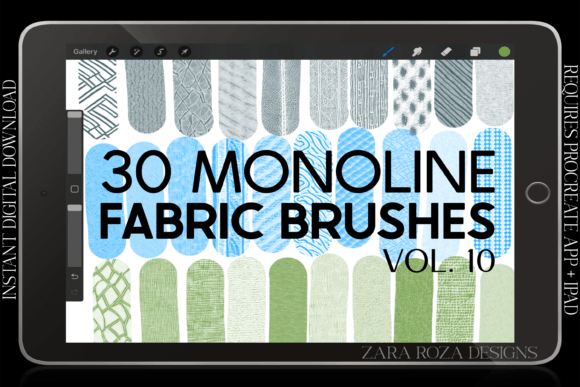
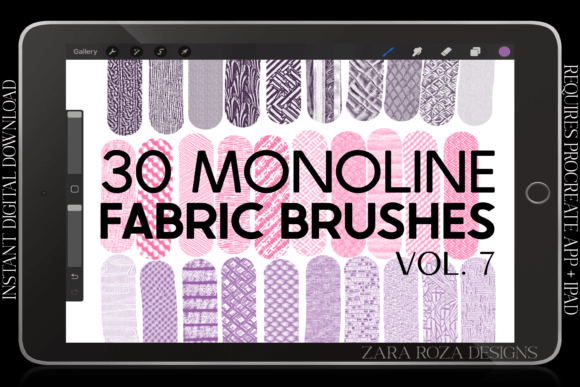
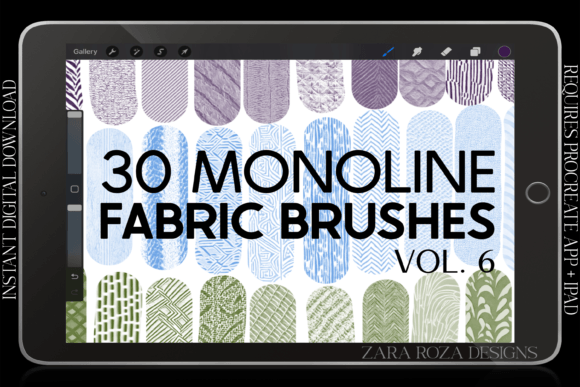
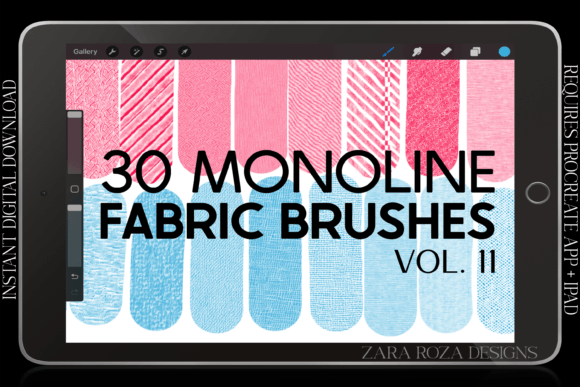
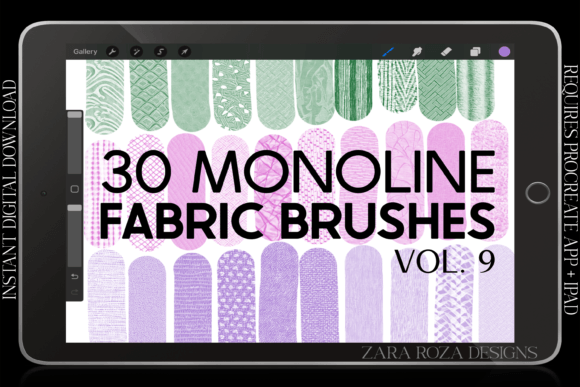
The defining feature of Procreate Fabric Texture Brushes Vol. 9 is its commitment to the "monoline" style. In digital art terminology, monoline refers to strokes that maintain a consistent width regardless of pressure or tilt. This pack contains 30 brushes that adhere strictly to this principle, offering no pressure sensitivity for line weight variation. Instead, the variation comes from the texture pattern itself—ranging from simple plain weaves to complex ruffles and stripes.
For many artists, particularly those transitioning from traditional ink drawing or vector-based design, this lack of pressure sensitivity is a deliberate advantage rather than a limitation. It ensures that every stroke has a crisp edge and uniform opacity. This consistency is crucial when illustrating technical fashion flats or stylized character outfits where clarity and readability are prioritized over organic, painterly realism. The brushes allow users to draw even textures with the same level of opacity, reducing the need for constant adjustments to brush settings during the creative process.
Key Features and Included Assets
The package is delivered as a single .brushset file, which simplifies installation into the Procreate app on iPad or iPad Pro. Inside, users will find 30 distinct brushes categorized by fabric type and pattern. The inclusion of diverse options such as striped patterns, ruffle details, and plain weaves provides a comprehensive toolkit for sketching a wide array of outfit elements.
- Versatility in Garment Types: The brushes are suitable for drawing jackets, sweaters, shirts, pants, dresses, and accessories like scarves, belts, hats, shoes, and socks.
- Style Agnostic: While optimized for fashion illustration, these textures are equally effective for anime, manga, chibi, cartoon, comic, and portrait art.
- Digital-Only Format: It is important to note that this is an instant digital download. No physical product is mailed, requiring users to have the Procreate app installed on a compatible Apple device.
The focus on "simple" textures means that these brushes are not intended to replace high-resolution photographic overlays or complex 3D rendering engines. Instead, they serve as efficient shortcuts for hand-drawn aesthetics, allowing artists to maintain the charm of manual illustration while speeding up repetitive texturing tasks.
Comparing Texturing Methods: When to Use Specialized Brushes
When evaluating Procreate Fabric Texture Brushes Vol. 9, it is helpful to compare it with other common approaches to rendering fabric in digital art. Each method has its own strengths and tradeoffs, and the right choice depends largely on the desired outcome and the artist’s workflow preferences.
Specialized Brushes vs. Standard Round Brushes
Using standard round brushes to manually paint fabric textures offers maximum control but requires significant time and skill. Artists must carefully modulate pressure and opacity to suggest weave and fold. In contrast, the monoline brushes in Vol. 9 automate the texture pattern. This is ideal for artists who want to focus on silhouette and design rather than spending hours rendering individual threads. However, if an artist seeks highly organic, unpredictable variations in line weight, the rigid consistency of monoline brushes may feel restrictive.
Digital Brushes vs. Vector Tools
Vector software like Adobe Illustrator is often used for technical fashion flats due to its precision and scalability. While vectors offer infinite resolution, they can sometimes lack the warmth and personality of hand-drawn art. Procreate Fabric Texture Brushes Vol. 9 occupies a middle ground, offering the repeatability needed for professional work while retaining the tactile feel of digital painting. For artists who prefer the iPad interface over desktop vector tools, this brush set provides a viable alternative for creating clean, professional-looking fashion illustrations.
Texture Brushes vs. Photo Overlays
Another common technique involves overlaying photographs of real fabric onto drawings. While this achieves photorealism, it can clash with stylized character art or anime-inspired designs. The brushes in this pack are designed to integrate seamlessly with drawn lines, ensuring that the texture matches the artistic style of the character. This makes them particularly suitable for fan art, comic creation, and character design where stylistic cohesion is more important than photographic accuracy.
Ideal Use Cases and Audience Fit
Identifying whether this toolset is the right fit requires looking at specific use cases. The brushes are particularly well-suited for:
- Fashion Design Students and Professionals: Those who need to quickly iterate on clothing designs without getting bogged down in detailed rendering. The consistent line weight helps in creating clear, readable technical sketches.
- Character Artists and Illustrators: Creators working in anime, manga, or cartoon styles will find the crisp edges and simple patterns align well with cel-shaded or line-art-heavy aesthetics. The ability to quickly add texture to a chibi character’s sweater or a comic hero’s jacket enhances visual interest without breaking the style.
- Digital Hobbyists: Artists who enjoy drawing outfits and accessories but struggle with the patience required for manual texturing. These brushes lower the barrier to entry for adding detailed fabric effects.
However, there are scenarios where this pack may not be the optimal choice. Artists seeking hyper-realistic portraiture or those who rely heavily on dynamic pressure sensitivity for expressive line work might find the monoline constraint limiting. Additionally, users who do not own an iPad or prefer desktop-based software like Photoshop or Clip Studio Paint will not be able to utilize this specific product, as it is exclusive to the Procreate ecosystem.
Practical Considerations for Implementation
To get the most out of Procreate Fabric Texture Brushes Vol. 9, artists should consider how these tools integrate into their existing layer structures. Since the brushes have uniform opacity, they work best when used on separate layers above the base color. This allows for non-destructive editing, enabling artists to adjust the blend mode or opacity of the texture layer to achieve different moods and lighting effects.
For example, when drawing a striped shirt, using the striped brush on a new layer set to "Multiply" can create a realistic interaction with the underlying shadow colors. Similarly, ruffle brushes can be used to quickly define the hem of a dress or the cuff of a sleeve, adding depth without requiring complex manual shading. Experimenting with different canvas sizes is also recommended; while the brushes are crisp, extremely large canvases may require adjusting the brush size significantly to maintain the intended visual density of the texture.
Making an Informed Decision
Choosing the right digital tools is a personal process that depends on individual artistic goals. Procreate Fabric Texture Brushes Vol. 9 offers a focused, efficient solution for a specific niche: monoline fabric texturing in Procreate. It excels in providing consistency, speed, and stylistic coherence for fashion and character illustrations. By eliminating the variability of pressure sensitivity, it allows artists to concentrate on design and composition.
Before purchasing, artists should assess their current workflow. If you frequently illustrate clothing and find manual texturing tedious, or if you are aiming for a clean, graphic look in your character art, this brush set offers tangible benefits. Conversely, if your work relies on organic, painterly textures or if you do not use Procreate, alternative methods or tools may be more appropriate. Ultimately, understanding the specific capabilities and limitations of these brushes ensures that they serve as a valuable asset in your digital toolkit rather than an unused addition.
For those ready to streamline their fashion illustration process, exploring the capabilities of these 30 monoline brushes can lead to a more efficient and enjoyable creative experience. Happy drawing.