Mastering Consistent Textures with Procreate Fabric Texture Brushes Vol. 5
Digital fashion illustration often falls into the trap of looking too smooth or artificially perfect. When you are sketching characters, designing outfits for anime and manga styles, or creating detailed comic art, the difference between a flat drawing and a compelling piece lies in the texture. This is where Procreate Fabric Texture Brushes Vol. 5 becomes an essential tool in your digital arsenal. However, simply downloading a new brush pack does not guarantee better art. Many artists, from beginners to seasoned professionals, make critical errors in how they select and apply texture tools, leading to cluttered compositions or inconsistent linework.
Understanding the specific mechanics of monoline brushes is crucial for achieving that crisp, clean aesthetic popular in modern character design. This guide explores common pitfalls when using fabric texture brushes and provides practical advice on how to leverage this specific set for maximum impact in your fashion illustrations and digital portraits.
The Misunderstanding of Pressure Sensitivity in Texture Work
One of the most frequent mistakes artists make when transitioning to texture-specific brushes is expecting traditional pressure sensitivity behavior. Most standard Procreate brushes vary in width and opacity based on how hard you press with the Apple Pencil. While this is excellent for organic sketching, it can be detrimental when trying to create uniform patterns like stripes, knits, or woven fabrics.
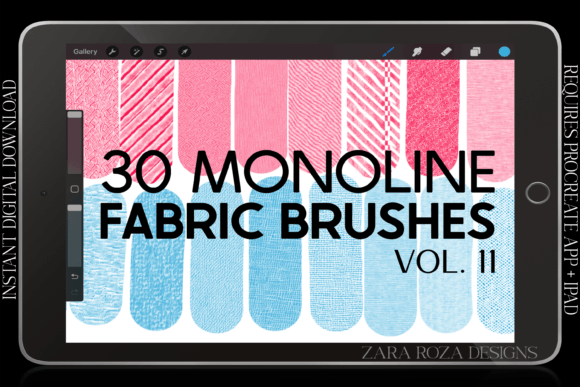
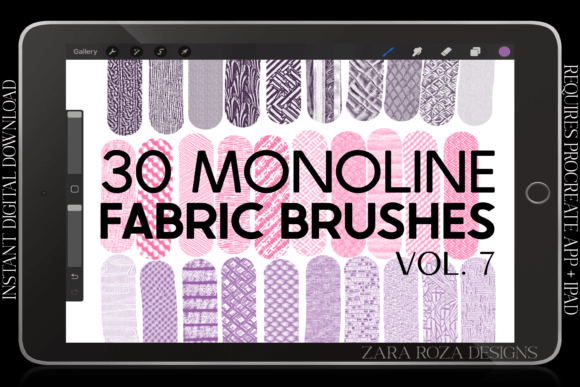
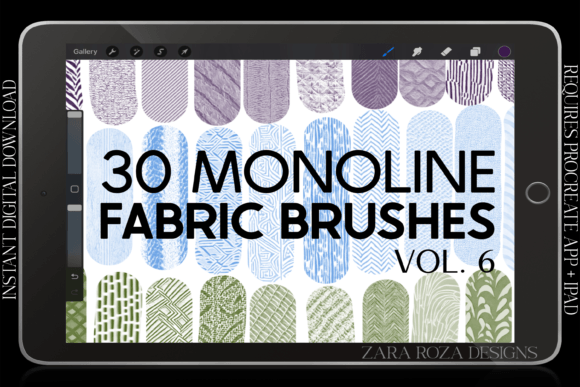
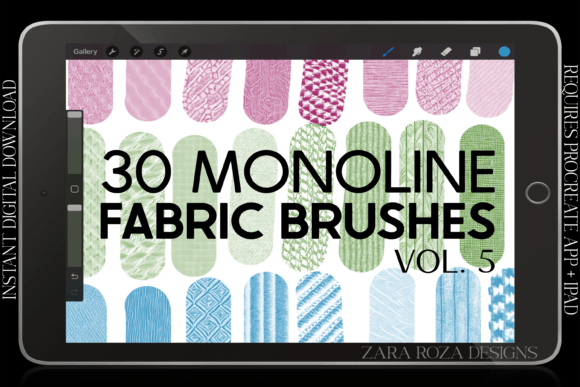
Procreate Monoline Fabric Texture Brushes Vol. 5 is explicitly designed with no pressure sensitivity. This is a feature, not a limitation. If you attempt to use these brushes expecting them to taper at the ends or lighten with a soft touch, you will likely become frustrated and discard them as "unresponsive." The reality is that these thirty brushes are engineered to maintain one consistent width and equal opacity throughout every stroke. This ensures that your hatching, cross-hatching, and pattern fills remain even and professional-looking.
To avoid this frustration, adjust your mindset before you begin drawing. Use these brushes for areas where consistency is key, such as the repeating pattern of a sweater knit or the parallel lines of a pinstripe suit. For organic shading or variable line weight, switch back to your standard sketching brushes. Knowing when to toggle between toolsets is what separates efficient workflows from messy ones.
Overlooking the Importance of Crisp Edges
Another common oversight is ignoring the edge quality of texture brushes. Many free or low-quality brush packs produce soft, blurry edges that can make digital art look muddy, especially when scaled down for social media or web portfolios. When illustrating small details like chibi characters, accessories, or intricate shoe designs, blurry textures can obscure the form rather than enhance it.
This brush pack offers crisp edge brushes, which are vital for maintaining clarity in complex illustrations. A common mistake is layering too many soft textures on top of each other, resulting in a loss of definition. By utilizing monoline brushes with sharp edges, you preserve the integrity of the underlying sketch. For example, when drawing a ruffle fabric detail on a dress, a crisp brush allows you to define the fold clearly without the texture bleeding into the surrounding negative space.
Before committing to a purchase or extensive use, always test the brush on a small canvas zoomed in to 100%. Check if the edges hold up against the background. If they appear pixelated or overly soft, they may not suit high-resolution fashion illustrations. The brushes in this volume are optimized for clarity, ensuring your jacket seams, belt buckles, and scarf patterns remain distinct and readable.
Neglecting File Organization and Compatibility Checks
A practical error that affects workflow efficiency is poor file management and ignoring system requirements. This product is a digital download containing a single .brushset file. It is not a physical item, and no printed materials will be mailed. Some users mistakenly expect individual PNG files or separate brush files, leading to confusion upon download.
Furthermore, compatibility is non-negotiable. These brushes require the Procreate app on an iPad or iPad Pro. Attempting to use them in Photoshop, Clip Studio Paint, or on Android tablets will result in failure. Always verify your device and software version before purchasing. Additionally, because the file contains thirty distinct brushes, importing them all at once can clutter your brush library if you are not organized.
To mitigate this, create a dedicated group in your Procreate brush library named "Fabric Textures" before importing. This keeps your workspace tidy and allows you to quickly access these specific tools during a fashion illustration session. Treat your digital assets with the same care as physical tools; a disorganized library slows down creativity and increases the time spent searching for the right stroke.
Choosing the Wrong Texture for the Fabric Type
Not all fabrics behave the same way, and using a single texture for every garment is a hallmark of amateur digital art. This pack includes variations such as simple plain, striped, and ruffle fabric textures. A frequent mistake is applying a heavy stripe texture to a delicate silk blouse or using a rough knit pattern for a smooth leather jacket.
To elevate your character art, match the brush texture to the material properties. Use the simpler, plain textures for cotton shirts or smooth dresses where subtle shading is more important than pattern. Reserve the striped or more complex textures for sweaters, scarves, and structured jackets. For anime and manga styles, where stylization is key, you might exaggerate the ruffle texture to emphasize movement in a skirt or cape.
Consider the mood of your piece. A gritty comic style might benefit from bolder, more visible texture strokes, while a soft portrait art piece might require lighter, more sparse application. Experiment with opacity settings on your layer rather than changing the brush itself, as these monoline brushes maintain constant opacity. Lowering the layer opacity can help integrate the texture seamlessly into the color base without overpowering the character’s features.
Final Thoughts on Integrating Texture Tools
Integrating Procreate Fabric Texture Brushes Vol. 5 into your workflow requires a shift from random experimentation to intentional application. By understanding the monoline nature of these tools, respecting the need for crisp edges, and organizing your digital assets properly, you can significantly enhance the quality of your fashion illustrations and character designs. Avoid the trap of over-texturing, and instead use these thirty brushes to add just enough detail to bring your outfits, accessories, and characters to life. Happy drawing.